AI tech pack software for apparel teams
Spec it. Edit it. Export it.
AI drafts your BOM, size chart and construction notes from your design. It also draws the How to Measure guide on the outline and numbered callouts on your sketch. Review every line, then export a supplier-ready PDF.
No credit card required
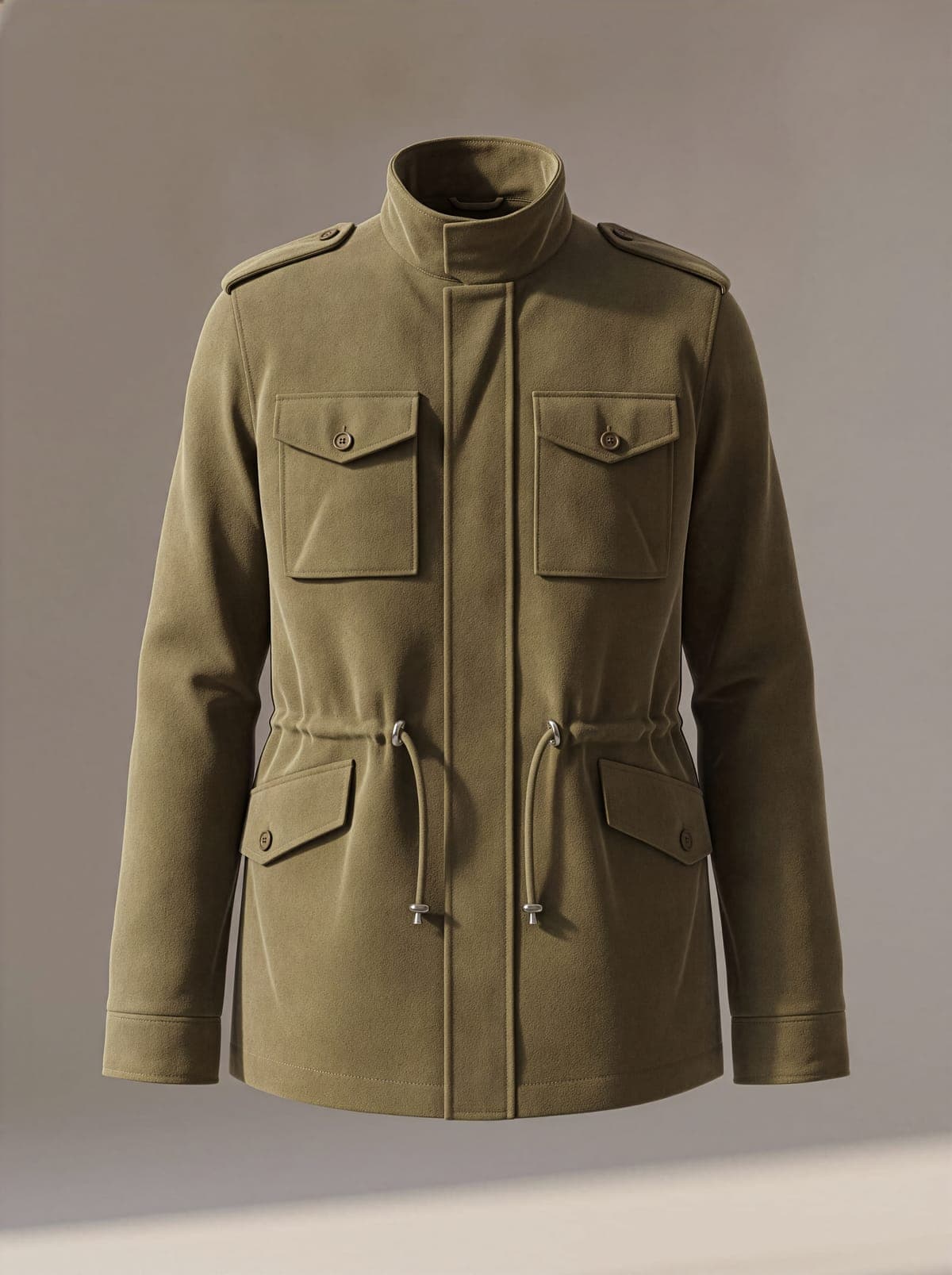
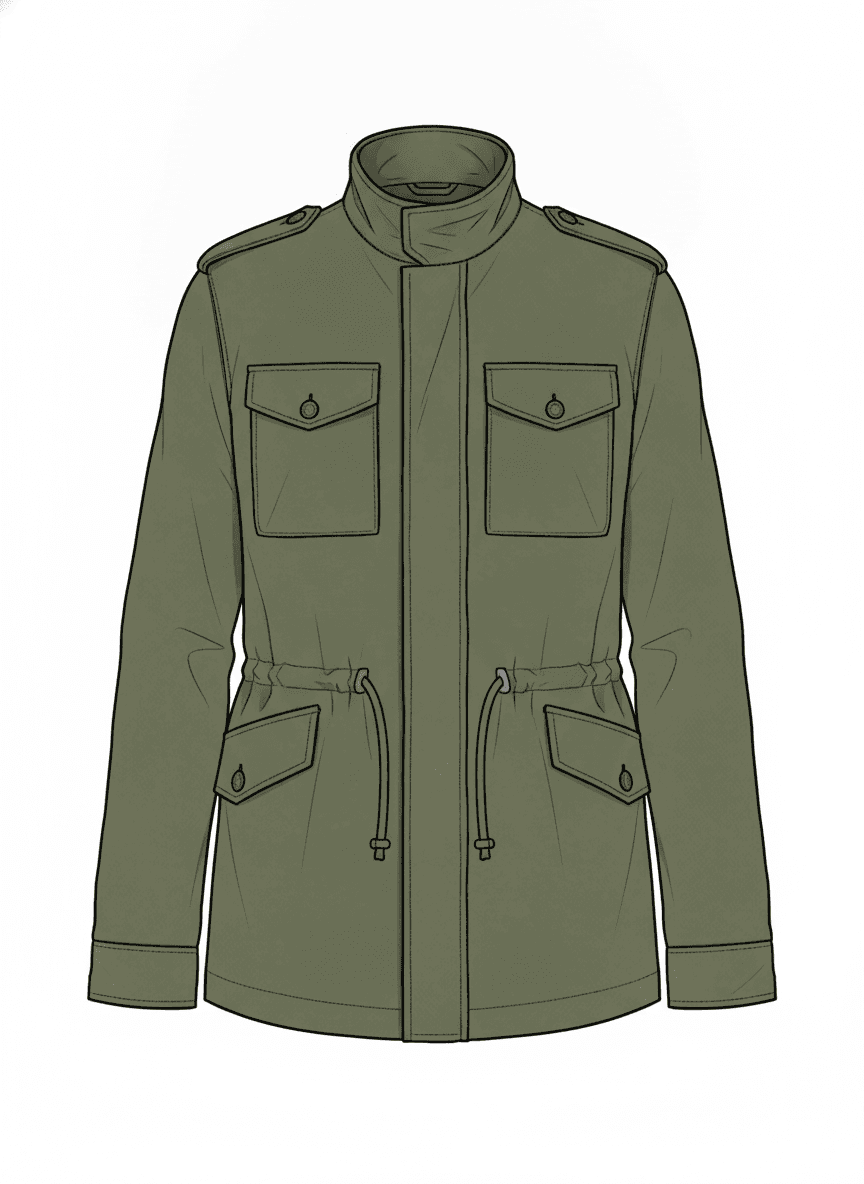

Technical Specification
Utility Field Jacket
SS26 · FLD-SS26-04
Created
August 2026
Product type
Jacket
Status
Proto
Version
1.0
From design to supplier-ready spec.
From style to export
Start from style or template
Create a style (product layer) or pick a template. Link mockups and sketches.
Add mockups and visuals
Add mockups, CAD flats and detail images to Product visuals so the spec shows the garment clearly.
Draft with Auto-Complete
One click to generate the first draft — BOM, size chart, construction notes, fabric spec, colour specs, a drawn How to Measure guide, and numbered callouts on your sketch.
Review and edit
Check every section in the editor — grading, materials, How to Measure lines, sketch callouts and construction stay fully editable before you sign off.
Export supplier-ready PDF
Export a supplier-ready PDF with optional brand colours and logo. Download it and send it to your supplier when the pack is approved.
Auto-Complete
One click to generate the first draft. Full control before export.
Point Auto-Complete at your mockup and sketch. It drafts the hard parts of your tech pack, draws the How to Measure guide, and places numbered callouts on the sketch. Review each section, edit what needs refining, and export when it’s ready.
- Size chart with grading rules applied
- Bill of materials, categorised by type
- Fabric type, weight and composition
- Construction notes, structured sections
- How to Measure guide drawn on the garment outline
- Numbered callouts placed on your sketch
Auto-Complete Agent
Building your tech pack with AI
Visual analysis
Materials & colours
Size chart
How to measure
Bill of materials
Construction notes
Callouts
Sketch analysis
AI analyses your garment sketch.
clothink analyses the garment’s visible details, including silhouette, seams, closures and construction cues, so your tech pack starts from the design rather than a blank form.
Drawn on your sketch
Measurements and construction, marked up for the factory
Auto-Complete marks up your flat the way a factory reads it. The same mark-up goes into your PDF and Excel exports.
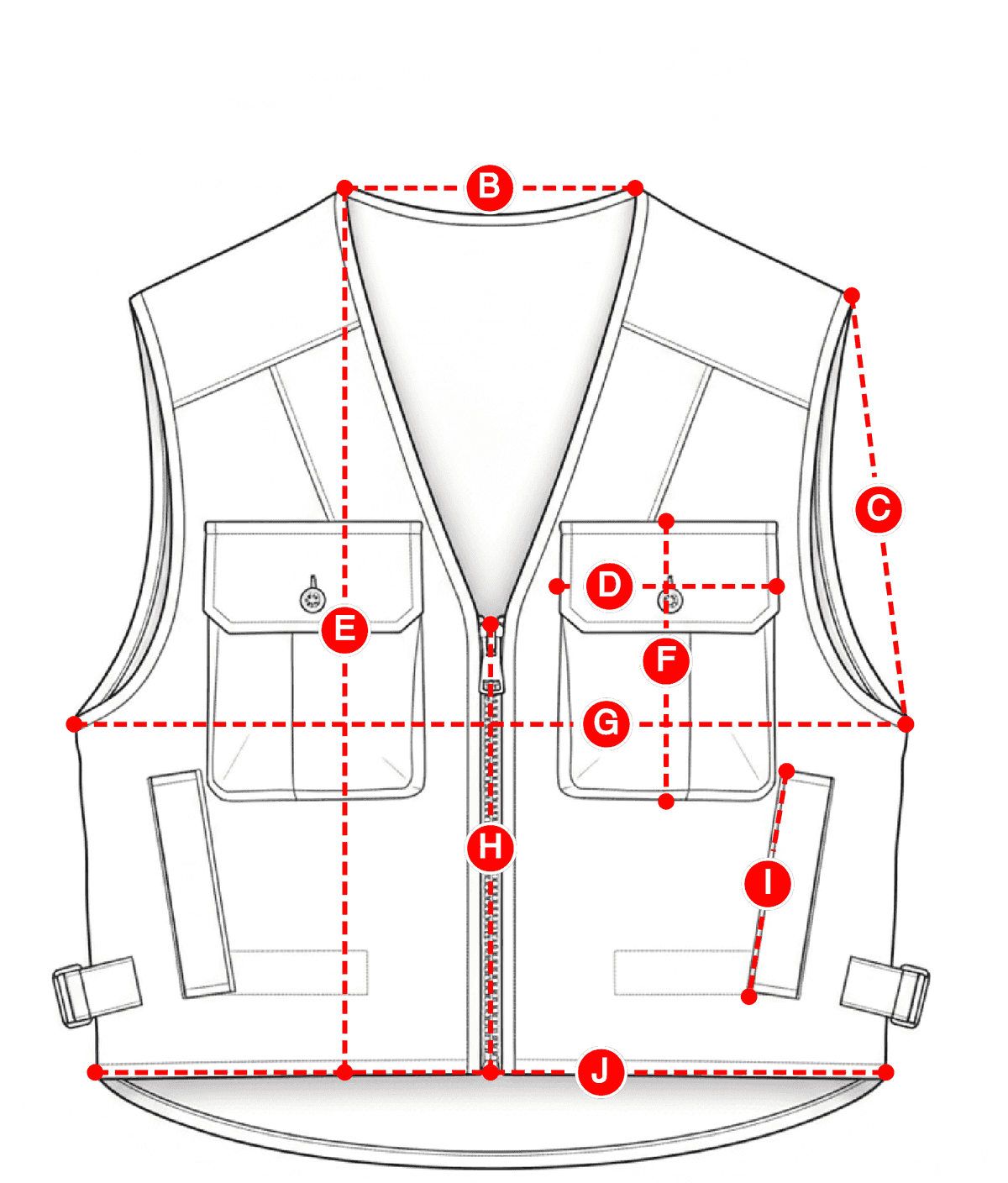
How to Measure
Auto-Complete draws a How to Measure diagram on the garment, with a line for each measurement on your size chart. Drag any line that sits in the wrong place.
Size chart · M · cm
- BNeck19.4
- GChest56.5
- HZipper37.5
- JHem54
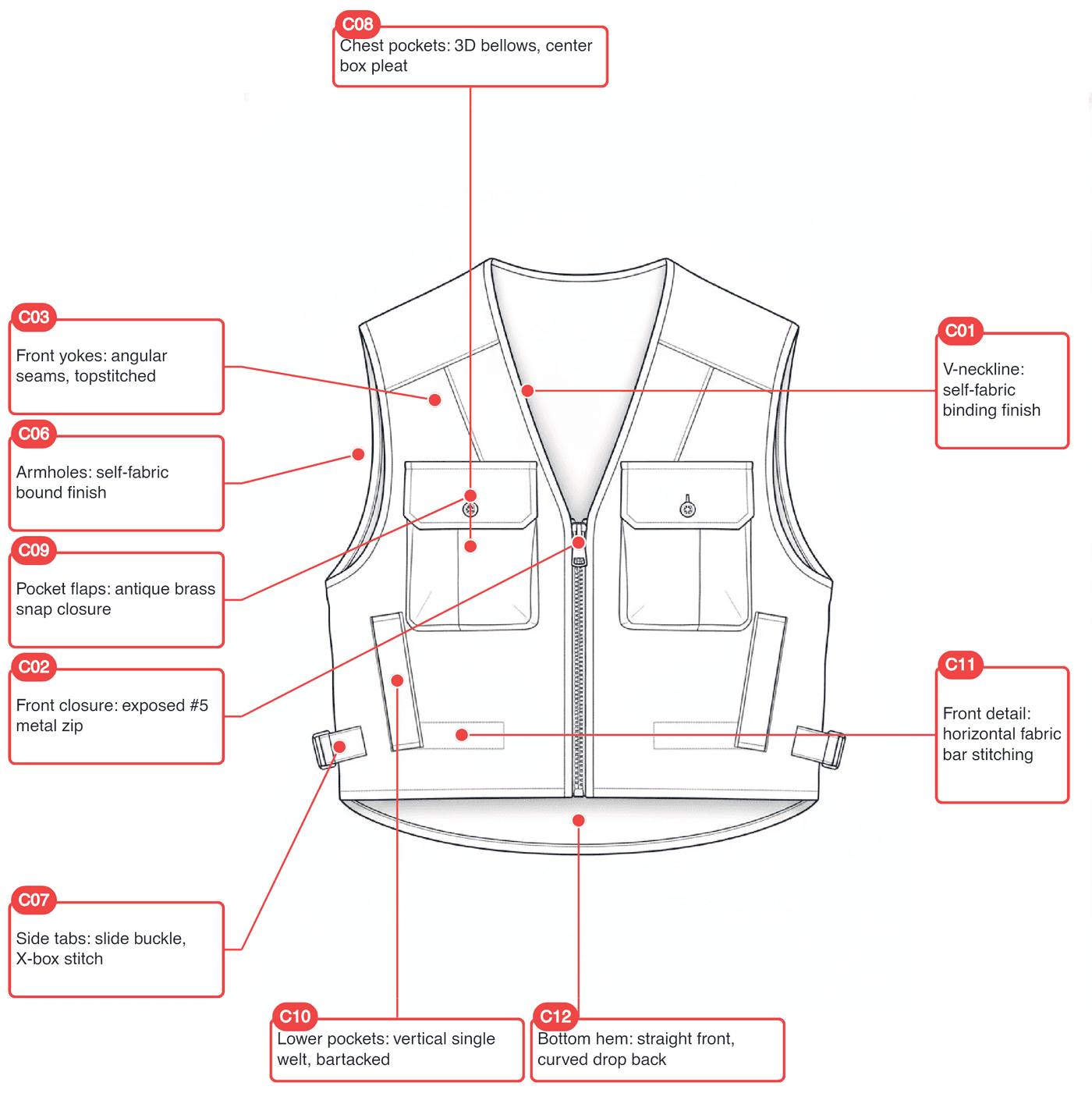
Sketch callouts
Numbered pins on your sketch mark construction points. The notes explain how to sew them. Auto-Complete can place the pins, or you can add them yourself — then check them before they go into the pack.
Construction notes
- C01V-neckline: self-fabric binding finish
- C02Front closure: exposed #5 metal zip
Review every production detail before export
Styles, BOMs, size charts, How to Measure, sketch callouts, construction notes, templates and PDF export — all editable in one workspace.
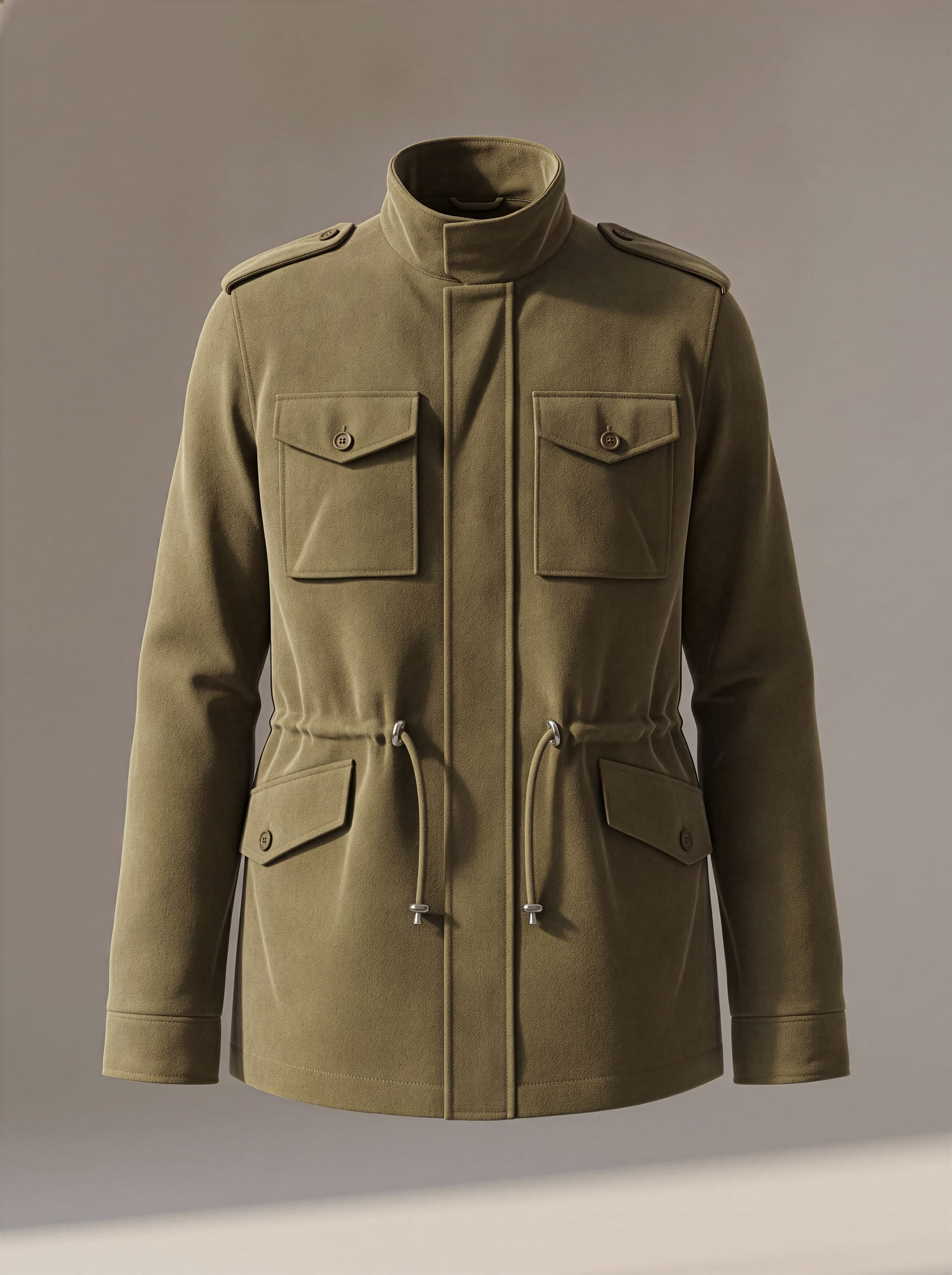
Approved mockup
Style Information
Style code
FLD-SS26-04
Style name
Utility Field Jacket
Product
Jacket
Season
SS26
Fit
Relaxed
Auto-Complete drafts the hard parts above. This workspace is where you check each section, resolve pending details and decide what is ready for export.
Your bill of materials, organised by fabric, lining, trims, thread and labels. Generate with Auto-Complete or build manually. Anything in your Material Library can be linked and reused across styles.
Construction notes drafted by AI from your mockup. Structured sections — add stitch types, seam allowances and finish details line by line.
| Measurement | XS | S | M | L | XL | 2XL |
|---|---|---|---|---|---|---|
| Chest | 96 | 100 | 104 | 108 | 114 | 120 |
| Back length | 69 | 70 | 71 | 72 | 73.5 | 75 |
| Shoulder width | 42 | 43 | 44 | 45 | 46.5 | 48 |
| Sleeve length | 62 | 63 | 64 | 65 | 66 | 67 |
| Bicep | 34 | 35 | 36 | 37 | 38.5 | 40 |
| Hem | 100 | 104 | 108 | 112 | 118 | 124 |
Reusable production data
Production libraries that keep specs consistent
Keep approved product metadata, sketches, mockups, fabrics and trims close to the tech pack so repeat styles do not start from a blank spec.
Style library
Product metadata, linked mockups, sketches and tech packs stay connected for each style.
Material library
Approved fabrics, trims and components can be reused in BOM rows with consistent naming.
Supplier-ready PDF with optional brand colours and logo, or an editable Excel workbook — export without reformatting.
Built for reuse. Ready to export.
Save page order, cover, which sections start on, and bill of materials columns on a brand. New packs for that brand start in the same format. Duplicate a pack when you want to copy the measurements and materials themselves.
Every save creates a version automatically. Compare any two, restore an earlier one, or add a note on what changed — full audit trail, nothing lost.
AI drafts. You stay in control.
clothink helps generate the first version of your tech pack, but every field remains editable. Review the BOM, size chart, How to Measure lines, sketch callouts, construction notes, colour specs and fabric details before exporting a PDF for your supplier.
AI-drafted specs
BOM, size chart, How to Measure and sketch callouts suggested for your review.
Supplier-ready PDFs
Export in a format suppliers expect — no reformatting.
Revision history
Every save is a version. Compare, restore and audit.
Ready to draft your next tech pack?
AI-drafted BOM, size charts, How to Measure and sketch callouts — review every section, then export a supplier-ready PDF. Start free.
Frequently asked questions
Can AI create a complete tech pack from a mockup?
Yes. Auto-Complete drafts BOM, size chart, fabrics and construction from your mockup or CAD. It also draws the How to Measure guide on the outline and places numbered callouts on your sketch. You review and accept before export.
Can I edit the tech pack after AI generates it?
Yes. Every field stays editable after Auto-Complete — grading, materials, How to Measure lines, numbered sketch callouts, construction notes and attachments. Export when the spec matches your standard.
What sections are included in the PDF export?
PDF exports include the sections you choose — typically size chart, How to Measure, BOM, construction notes, fabric and colour specs, numbered sketch callouts, and product visuals. Optional brand colours and logo can be included.
Can I use my own size chart?
Yes. Build a size chart manually, apply a template, or let Auto-Complete draft one from your design. Supports alpha, numeric, kids and custom scales with grading rules you can edit before export.
Can I reuse fabrics, trims and BOM items?
Yes. Save approved fabrics and components in your Material Library, reuse BOM templates, and link materials across styles so repeat categories do not start from a blank spec.
Is clothink suitable for factories or only brands?
clothink is built for apparel brands, designers and product teams who need editable specs and supplier-ready PDFs. Suppliers and factories receive the exported PDF — you stay in control of what is sent and when.