· clothink
Best AI Fashion Design Tools for Clothing Brands in 2026
- Fashion tech
- Software
- Product development
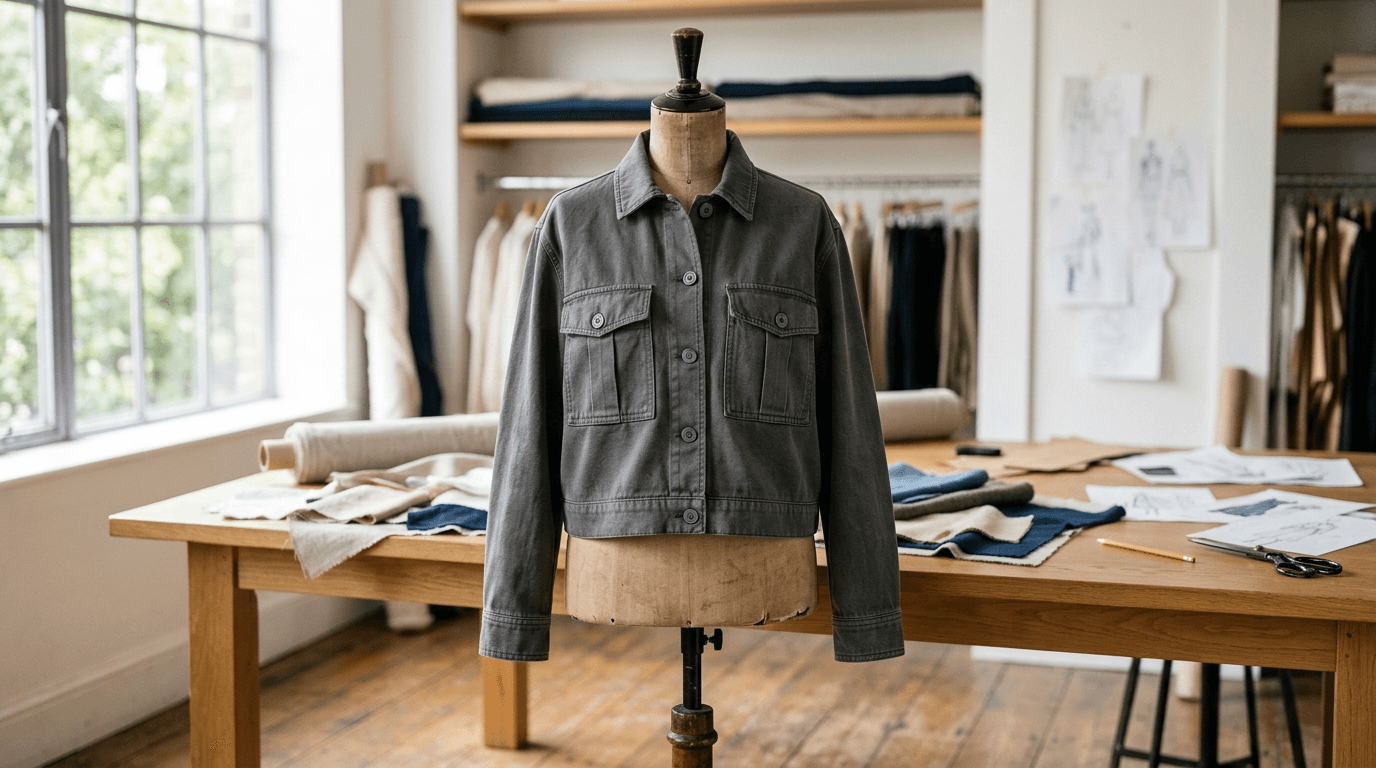
Most AI fashion tools can create a convincing garment image. The more revealing test comes when you say: keep everything the same, but change the collar.
That is where an image generator either becomes useful design software or starts the garment again.
Clothing brands rarely need more disconnected inspiration. They need to turn an idea into a design they can refine, review from several angles, apply a fabric or print to and eventually explain to a supplier. If you mainly want striking images, several tools here are excellent. If you want the design, the visual development and the technical handover to stay connected as one product, that is what clothink is designed for.
This guide compares five platforms used for fashion design, listed alphabetically: Caimera, clothink, NewArc, Raspberry AI and The New Black.
Disclosure: this guide is published by clothink. clothink is included alongside competing platforms, and feature and pricing information has been checked against public sources.
The best AI fashion design tools at a glance
| Tool | Best fit | Beyond image generation | Entry access | Main trade-off |
|---|---|---|---|---|
| Caimera | Teams combining product development with high-volume visual production | Sketch-to-image, prints, editing and editable tech packs built around your own templates, materials and measurement charts | Free account with 20 one-time credits; paid from $15 per user per month, billed monthly | Much of the platform serves e-commerce and campaign imagery; custom tech-pack templates need Pro or Enterprise |
| clothink | Connected product development from concept to tech pack, especially accessible to independent brands and lean product teams | Sketches from a prompt or reference, palettes, repeat prints, photoreal and on-model mockups with reusable Models, video clips and an AI-drafted, editable tech pack in one workspace, exported as a branded PDF and Excel file | Free plan with no card, 10 starter tokens and a free first Auto-Complete; paid plans from £19 per month | Not pattern CAD or physics-based 3D simulation |
| NewArc | Designers who already work from sketches, drawings or product images | Sketch-to-image rendering, plus material, pattern and image-to-sketch tools | Paid from £9 per month, billed annually; any free allowance is shown on NewArc’s site | Focused on sketch-to-visual work |
| Raspberry AI | Established creative and product teams needing advanced editing, collaboration and integrations | Masked and layered editing, product views, technical flats, tech packs and links to wider business systems | 50 free credits, one time; Individual $49 per user per month | Higher tiers ($198 and $298 per user per month) may exceed what a young label needs |
| The New Black | Designers and brands wanting the broadest low-cost, self-serve fashion AI toolkit | Design, image editing, SVG flats, tech packs, video, try-on and commerce tools in one platform | Free account with starter credits; paid from $15 per month, billed monthly | Breadth demands approval discipline: several plausible outputs can describe different garments |
What separates fashion design software from an image generator?
A first generation shows whether a model can interpret a prompt. Product development begins after that.
Can you shorten the body without losing the pocket construction? Can you change a shirt collar into a low stand collar and leave the zip, cuffs and proportions alone? Does the back view follow the logic of the front? Can the approved garment become an editable flat or tech pack without being rebuilt?
Those questions point to three levels of value:
- Direction: what might the garment look and feel like?
- Definition: which silhouette, construction details, materials and colours have been approved?
- Communication: what does the next designer, product developer or manufacturer need to know?
Some tools specialise in one level. clothink is built to connect all three, so a design approved in one place becomes a specification in the next without rebuilding the garment in another tool. That continuity is the main thing we compare below. If your starting problem is getting an idea out of your head, see our guide to designing clothes when you cannot draw.
How we compared them
Feature and pricing information was checked against each company’s public website on 6 October 2026. We have not run a controlled benchmark of image quality, so we compare workflow, features and use cases and give no scores. Six questions guide the comparison:
- Continuity: can an approved design carry into other views, colourways, mockups, flats and a tech pack without being rebuilt?
- Input: can it start from a written brief, sketch, technical flat, garment photo, fabric, print or colour?
- Control: can you change one area or feature instead of regenerating the whole garment?
- Output: can the work leave the platform as something useful, such as an editable flat, a PDF or an Excel file?
- Technical development: does it stop at visualisation, or support measurements, materials, construction and tech packs?
- Fit: is it priced and structured for the team using it?
Tech-pack-first tools such as Techpacker, and the PLM systems around them, are covered in our guide to the best tech pack software for fashion brands. For vector drawing, 3D, pattern CAD and PLM by stage, see our fashion design software guide.
Run this 30-minute test before paying for any tool
Do not compare platforms using their best gallery images. Give each one the same garment brief, then the same instructions.
Women’s cropped utility jacket with a relaxed body and dropped shoulder. Two symmetrical bellows pockets at the chest. Concealed centre-front zip under a snap placket. Shirt collar, straight sleeve with adjustable snap cuff and elasticated back waist only. Washed 280 gsm cotton twill in charcoal grey. No hood, no drawcord and no visible branding.
- Create the first design. Check that it follows the construction, not just the mood.
- Request a back view. Compare the cuffs, shoulder line, waist treatment and seam logic.
- Change one feature. Replace the shirt collar with a low stand collar. Nothing else should move.
- Move the product forward. Export an editable flat, build a mockup or start the tech pack, and note what you have to enter again.
Score each step from one to five and record the plan and date you tested. A beautiful first image with a poor second result makes a tool for inspiration, not development. If you work with confidential collections, check each platform’s privacy, data-retention and model-training terms before uploading unreleased designs.
Caimera: best for custom tech-pack templates and visual production
Best for: teams that want design, technical documentation and e-commerce imagery in one environment, especially if they already have tech-pack templates, measurement charts and material libraries.
Caimera presents itself as a visual-production platform, but its product-development side goes well beyond campaign imagery. Its design tools cover sketch-to-image rendering, repeat and placement prints, recolouring and editing, and the same platform produces catalogue images, ghost-mannequin and flat-lay views, model imagery and video.
Its AI Tech Pack tool starts from a single product image and generates numbered construction callouts, a fit description, materials, sample measurements and a graded size run, with colourways and a technical sketch on request. Measurements can be filled from a saved measurement chart or an uploaded .xlsx file, and materials matched from a saved library. Custom templates are a Pro or Enterprise feature, which suits a company with an established technical standard.
Choose Caimera when the same team moves between product development and substantial visual-content production, or when adapting AI to an existing technical template matters most. Tech-pack downloads use credits; see Caimera’s pricing for current allowances.
clothink: best for connected product development, from concept to tech pack
Best for: teams that want one workspace to take a product from first idea to a supplier-ready tech pack. It is particularly accessible to independent brands and lean product teams.
clothink is one connected product-development workspace, not a set of separate generators. It covers most of the journey in one place:
- Sketches. Coloured, flat and fashion sketches from a prompt, a reference image or a collection brief.
- Colour and artwork. Named colour palettes, seamless repeat prints and placement graphics, with SVG or PNG export.
- Mockups. Photoreal product shots and on-model images, reusable Models, custom backgrounds and angles, extra views, close-up Detailed Views and short video clips. You refine a mockup by typing a change, such as “make the sleeves shorter”.
- Tech pack. Auto-Complete drafts a bill of materials, size chart, fabric and colour information and construction notes from the linked design. It also draws a How to Measure guide and numbered callouts on the sketch. Every section stays editable, with version history, a house format you can save on a Brand, and export as a branded PDF and an Excel file you can send to a supplier.
- Teamwork. Collections keep a season’s sketches, mockups, palettes and tech packs together, and team workspaces with roles share styles, Brands and a library.
That continuity is the point. Most tools handle one part of the journey well; clothink is designed so the design, the visual approval and the technical handover stay connected, and the same style carries from first sketch to supplier file without being rebuilt. A founder or small team does not need a separate image generator, a spreadsheet, an enterprise PLM and three folders to explain one product.
clothink does not cut patterns or simulate fit and fabric from pattern pieces, so teams that need that still pair it with pattern CAD or 3D software.
Every account starts on the Free plan, with no card. It includes 10 starter tokens for AI images (a standard mockup uses one token), up to three tech packs you can build and edit, and a free first run of Auto-Complete. Unlock a pack for £15 to download it, or choose a paid plan from £19 per month with every export included; team workspaces start at £49. See clothink pricing.
Choose clothink when you want the whole journey, from first sketch to supplier file, in one workspace and one budget, instead of stitching separate tools together.
NewArc: best for turning sketches into realistic product visuals
Best for: designers who already think through drawings and need to make those ideas tangible quickly.
NewArc has the clearest specialist proposition here: upload a sketch and turn it into a realistic image. That helps when the designer knows what the product is but colleagues, clients or founders need to see it. Its site also offers tools for applying materials and patterns, editing generated images and converting images back into sketches.
Teams with an established technical process can buy it for the visual job it does well and keep their existing tech-pack or PLM system. See NewArc’s site for current plans and credits.
Choose NewArc when sketches are already central to your process and the bottleneck is realistic, controllable visualisation.
Raspberry AI: best for advanced editing and established teams
Best for: brands that want sophisticated visual development, targeted image editing, collaborative tools and connections to a wider product or content stack.
Raspberry AI is more than a sketch-rendering platform. Its visual tools cover text and image ideation, sketch-to-render, materials and prints, on-body and off-body presentation, technical sketches and image editing.
The Design Editor is its particular strength. Users isolate areas with smart masks, drawn masks or a polygon lasso, adjust silhouettes, sleeves, hems and fit, change colours, add prints, graphics and trims, and keep every edit on its own layer. Exports include PNG, JPEG, TIFF, PSD and Adobe SVG.
Raspberry also documents a full Tech Pack feature. From garment images it generates front, back and side flats, annotations, points of measure, a bill of materials, colourways and artwork callouts, and you can attach a reference tech pack so the output follows your team’s format. Packs export as a PDF or individual JPGs.
For larger organisations, integrations and administration set it apart. It lists DAM integrations such as Bynder, says it is SOC 2 Type II certified, and offers team management from its Professional tier, with SSO and API access on Enterprise. Pricing is per user and credit-based; see Raspberry’s pricing page.
Choose Raspberry AI when advanced visual control, collaboration at scale and integrations justify a larger budget, or when a design team needs one powerful creative layer around systems it already uses.
The New Black: best broad self-serve toolkit at a low entry price
Best for: designers and small brands that want to explore a wide range of fashion-specific AI tasks without enterprise pricing.
The New Black takes the broadest approach of the five. Its studio spans garment generation from a prompt, sketch or reference, editing, on-model imagery, virtual try-on, video, moodboards, lookbooks, tech packs and publishing to a Shopify store or social channels.
For design development you can generate a garment from text, create a flat from a description or photograph, apply fabrics and prints, build colourways and edit selected areas. Its SVG sketch tool rebuilds a sketch as editable paths you can open in Illustrator.
Its tech-pack editor can be used by hand without spending credits. AI credits cover drafts from photographs, AI-drawn flats, imported packs and factory-style reviews. Packs hold a flat sketch with callouts tied to size-chart codes, a size chart with tolerances, a bill of materials, colourways and notes, and export to PDF. Plans are credit-based, and a free account can build two tech packs by hand; see The New Black’s pricing.
Choose The New Black when you want the widest range of self-serve experiments at an accessible price and have a clear review and approval process.
Which AI fashion tool should you choose?
Pick by the job that is slowest in your process today.
| If your priority is… | Start by evaluating | Why |
|---|---|---|
| Taking a product from idea to sketches, mockups and a supplier-ready tech pack in one connected workspace | clothink | One style links sketches, mockups and an AI-drafted tech pack, exported as PDF and Excel |
| Advanced visual editing, collaboration and integration with established systems | Raspberry AI | Layered editing, documented tech packs and enterprise connections |
| Turning existing sketches into realistic visuals with materials and patterns applied | NewArc | The most focused sketch-to-visualisation specialist in this group |
| Trying the widest range of fashion AI functions at a low entry price | The New Black | Design, SVG flats, tech packs, content and commerce tools in one self-serve product |
| Applying AI to your own tech-pack templates, measurement charts and content production | Caimera | Custom templates and technical libraries sit beside extensive visual production |
| Testing fit, drape and construction from real pattern pieces | CLO, Style3D or another pattern-based 3D system | A different class of software from image-led AI |
Some teams combine tools: NewArc for rapid visualisation alongside an existing tech-pack system, or Raspberry AI as the creative layer around systems already in place. If you would rather keep design and specification in one place, that is the case for clothink.
What about CLO, Style3D and general image generators?
CLO and Style3D suit pattern-based 3D development, fit review and physics-led fabric simulation. They sit outside the five because the skills, outputs and buying decision differ from image-led AI tools. General tools such as Midjourney, Adobe Firefly and ChatGPT image generation remain useful for mood and early exploration, but are harder to rely on once you need fashion-specific data, repeatable technical views or structured measurements.
What every AI fashion tool still needs a human for
The same standard applies to every tool in this guide, clothink included: AI-generated technical information needs review before production. Edits can change details you did not ask about, generated views can disagree with each other, and automatically placed measurement lines or callouts can need correcting. An image cannot confirm that:
- the pattern will fit a real body
- the fabric will stretch, recover or drape as shown
- the front and back will join correctly, and every pocket, fastening or seam can be built where it appears
- the proposed measurements suit the intended customer
- the factory can achieve the detail at your target cost and quantity
- the design is original enough, and legally safe, to commercialise
Use AI to remove blank-page work, make alternatives visible and improve communication. Use designers, pattern cutters, material specialists and manufacturers, with physical samples, to verify the decisions that affect production. Our guide to AI tech packs explains what to check before a draft goes to a supplier.
The best tool survives the second instruction
The first image tells you whether a model can make something attractive. The second instruction tells you whether the software can help develop a product.
Whichever tool you shortlist, follow one garment all the way through. Change one detail, check the back, apply the real fabric and inspect every measurement. Then ask whether the software produced the next useful piece of work, or only another image.
Frequently asked questions
What is the best AI fashion design tool for a small clothing brand?
It depends on the missing part of your process. If you want to take an idea from sketch to mockup to an editable tech pack in one workspace, clothink is built for that, starts free with 10 starter tokens, and suits independent brands and small teams. The New Black offers a wider menu of self-serve tools at a low starting price, and NewArc is a good specialist choice when realistic sketch visualisation is the main need. Test the same garment in each shortlisted tool before committing.
How much do AI fashion design tools cost?
Entry prices in this guide run from free to $49 per user per month. clothink has a Free plan with no card and paid plans from £19 per month. NewArc starts at £9 per month billed annually, Caimera and The New Black at $15 per month, and Raspberry AI at $49 per user per month. Credits, seats and billing periods differ, so check each pricing page against what you actually need.
Are there free AI fashion design tools?
Most have a free way in. clothink’s Free plan needs no card and includes 10 starter tokens for AI images, up to three tech packs you can build and edit, and a free first run of Auto-Complete. Caimera gives 20 one-time credits, Raspberry AI gives 50 free credits and The New Black offers a free account with starter credits. NewArc shows any free allowance on its site. Use them to run the same-garment test in this guide before you pay.
Can I use AI fashion design tools if I cannot draw?
Yes. clothink starts from a written idea or a reference image as well as a sketch, and The New Black can generate a garment from a prompt, sketch or reference. NewArc is built around sketches, so it suits designers who already draw. Our guide to designing clothes without drawing covers the wider process.
Which AI tool is best for turning fashion sketches into realistic images?
NewArc is the most focused on sketch-to-image work, with dedicated material and pattern tools. Raspberry AI also offers sophisticated sketch-to-render and editing tools. clothink turns a flat or coloured sketch into a photoreal product shot, including ghost mannequin, or an on-model image, lets you refine it by typing a change, and then carries the same style into a tech pack. A mockup shows how a design might look; it is not a simulated garment, so it does not prove fit or construction.
Can AI create a complete clothing tech pack?
clothink, Raspberry AI, Caimera and The New Black all document AI-assisted tech-pack features. They can draft combinations of flats, measurements, grading, bills of materials, construction notes, callouts and colourways. None can independently guarantee fit, hidden construction, material performance or factory capability, so a pack is only ready to send once a technically competent person has checked and completed it.
Can AI fashion tools change one detail without redrawing the whole garment?
Some can, and it is the most useful thing to test. In clothink you refine a mockup by typing a change, such as “make the sleeves shorter”. Raspberry AI’s Design Editor lets you isolate areas with masks and keep each edit on its own layer. Results vary by garment, so run the collar test from this guide on every tool you shortlist.
Which AI fashion design tool is best for creating a tech pack?
That depends on where the pack starts. clothink drafts the tech pack from the same design you developed there, so the sketch, mockup and specification stay connected, and it exports a branded PDF and an Excel file. Raspberry AI, Caimera and The New Black generate packs from garment images, and Caimera and Raspberry AI can follow your own templates or reference packs. Whichever you choose, check measurements and construction before the pack goes to a supplier.
Can I use AI-generated fashion designs commercially?
Terms differ by tool and plan, so read each product’s commercial-use, data-retention and model-training terms before you rely on a design, especially for confidential collections. A design also needs to be original enough to commercialise, which no tool can confirm for you.
What is the difference between AI fashion design and 3D fashion software?
Image-led AI tools generate or edit sketches and photoreal visuals from words and reference files. They are fast and accessible, but the image is an interpretation. Pattern-based 3D tools build a digital garment from pattern pieces and material properties, which allows more meaningful fit, drape and digital-sampling decisions. A realistic mockup is not the same as a simulated garment.
Test one garment from idea to tech pack
Start on the free plan, with no card. Take the utility-jacket brief from this guide through sketches, a mockup and an editable tech pack, and judge the result yourself.