Product developmentclothink
Fashion PLM Software for Small Brands: Do You Really Need It?
- Software
- Fashion tech
Updated 6 November 2026.
Before you buy fashion PLM software, work out what is actually slowing your brand down. Product development has three layers, and many small brands can manage with the first two.
- Design and specify. Turn an idea into sketches, mockups, measurements and a tech pack a factory can quote from.
- Manage development inside your team. Track revisions, sample rounds and fit feedback, so everyone on your side works from the latest decisions.
- Collaborate with suppliers. Let factories work in the same live record, and approve changes formally across companies.
Small clothing brands do not necessarily need a full PLM system to manage product development. If your priority is designing garments, creating technical specifications, managing revisions and tracking sample development, a lighter workspace may give you everything you need. A more comprehensive PLM becomes valuable when you need extra capabilities, such as supplier access, formal approval workflows, complex costing, range planning or integrations with other business systems.
clothink is an AI product development workspace for apparel. It is not a full PLM system, and this guide says where a specialist platform is the better choice.
Disclosure: clothink publishes this guide and is one of the six options. Details of the other tools come from each vendor’s own website, checked on 6 November 2026, not from a hands-on test of every platform. Prices, currencies and billing terms differ, so treat the numbers as a starting point and confirm them before you buy.
The short answer: choose the software for the bottleneck
| The problem you have today | What to consider first | Why |
|---|---|---|
| Creating designs, mockups and tech packs | clothink | Sketches, mockups and an editable tech pack come from the same style, so you do not rebuild the garment between tools. |
| Costing a style and checking your margin | clothink for each style; a PLM for costing across a whole range | Costing sits inside the tech pack, next to the bill of materials it prices. Add cut and make, overheads, and duty and freight, set your wholesale and retail prices, and see the margin for each style. |
| Managing revisions, sample rounds and fit feedback inside your team | clothink | Revision history with restore, fit rounds that compare what you measured with your spec, and a Check before you send review. |
| Coordinating a small team on the same styles | clothink on a team plan | A shared workspace, comment threads pinned to measurements, call outs and BOM rows, and a record of who last edited each pack. Team plans start at £49 a month for two seats. |
| A handful of repeat products, and the current process works | Excel or Google Sheets | A clear master file may be enough without another subscription. |
| Factories need live access to the same specification | Techpacker, Rechain Business, Delogue or Onbrand | With supplier access the factory sees changes and answers in the record, instead of receiving files. |
| Formal approvals across suppliers and departments | A specialist fashion PLM such as Delogue or Onbrand | These systems are built around shared supplier records, sample feedback and approvals. Ask for your exact approval steps in a demo. |
| The biggest problems are stock, orders, invoicing or the warehouse | An apparel ERP or operations system | PLM and tech pack software do not replace those functions. |
Our recommendation for independent brands: if your factory does not need to log in to your software, and you do not need complex costing, planning or integrations, you may not need PLM at all. clothink covers designing, specifying and tracking development inside your team, and you send reviewed PDF and Excel files. Add a PLM when factories need to work in the live record, or when you need formal approvals, deeper costing and planning, or links to other systems. Choosing one later does not stop you designing and specifying garments in clothink first.
What does fashion PLM software actually do?
PLM stands for product lifecycle management. In apparel it connects the records and decisions around a garment: styles, colourways, materials, bills of materials, measurements, costs, samples, comments, approvals and supplier activity.
A tech pack describes what the factory is being asked to make. A PLM system also manages what happens around that specification. It tracks who changed a fabric, which sample was reviewed, whether a fit issue is still open and which version was approved.
You see the difference when a jacket changes during development. The first sample arrives and you decide to replace the front zip, move a pocket and change the shell fabric. Those decisions touch the drawing, the bill of materials, the construction notes, the quoted price, the sample record and later approvals. Someone has to make sure everyone works from the same decisions.
A PLM platform coordinates that inside one shared system, with your suppliers in it. A lighter workspace keeps the decisions inside your team and sends controlled files to the supplier. Neither model is better in every case. The right one depends on whether your factory needs to work in the record itself.
PLM is also different from ERP. If you need purchasing, warehouse management, invoicing or stock control, assess those separately. A product development platform is not an operations system because it stores garment data.
Where a full PLM goes further
A full PLM is not simply a workspace with supplier logins added. Beyond factory access and approvals, these platforms can also cover deeper material and costing management, range and assortment planning, compliance records, reporting and integrations. Onbrand’s Pro plan, for example, lists material and collection costing, a Time & Action calendar, assortment planning and project management alongside its vendor portal. Some brands want those features without ever letting a supplier log in.
clothink covers the first two layers, designing and specifying, and managing development inside your team. If you need more than that, the options below are where to look.
Best fashion PLM software and alternatives for small brands in 2026
This shortlist is for independent brands and lean product teams. It includes true PLM systems, a lighter design-to-tech-pack workspace and the option of a well-controlled spreadsheet. It is not an enterprise PLM ranking. Systems such as Centric, WFX and PTC FlexPLM may suit larger or more complex organisations better.
| Option | Where it fits best | How suppliers get the information | Published starting price |
|---|---|---|---|
| clothink | AI garment design, technical specifications, costing and margin, version control, sample tracking and internal team collaboration | You send reviewed PDF and Excel exports | Free plan; Creator £19 a month; Duo £49 a month for two team members |
| Techpacker | Structured tech packs, revisions and collaboration | Team and factory collaboration; more features on the PLM tiers | Techpack Builder $35 per user a month; PLM Professional $95 per user a month (annual) |
| Rechain | Product records and costing, with a route into supplier collaboration | Partner access is listed on Business, not on Freelancers | Freelancers $49, Business $99 per user a month (annual billing) |
| Delogue | Coordinating samples, suppliers and product approvals | Supplier users are free and unlimited | Essential from €145 per user a month |
| Onbrand | Live tech packs, sample feedback and vendor-facing workflows | Vendor portal on Core | Quote on request |
| Excel or Google Sheets | Small, stable ranges with disciplined file control | You share files and agreed PDF versions | Software you already pay for |
1. clothink: best for design, tech packs and internal product development
clothink is for founders, design studios and small apparel teams who want to design a garment, specify it for a factory and manage its development, without a supplier-facing system.
Design and visualise
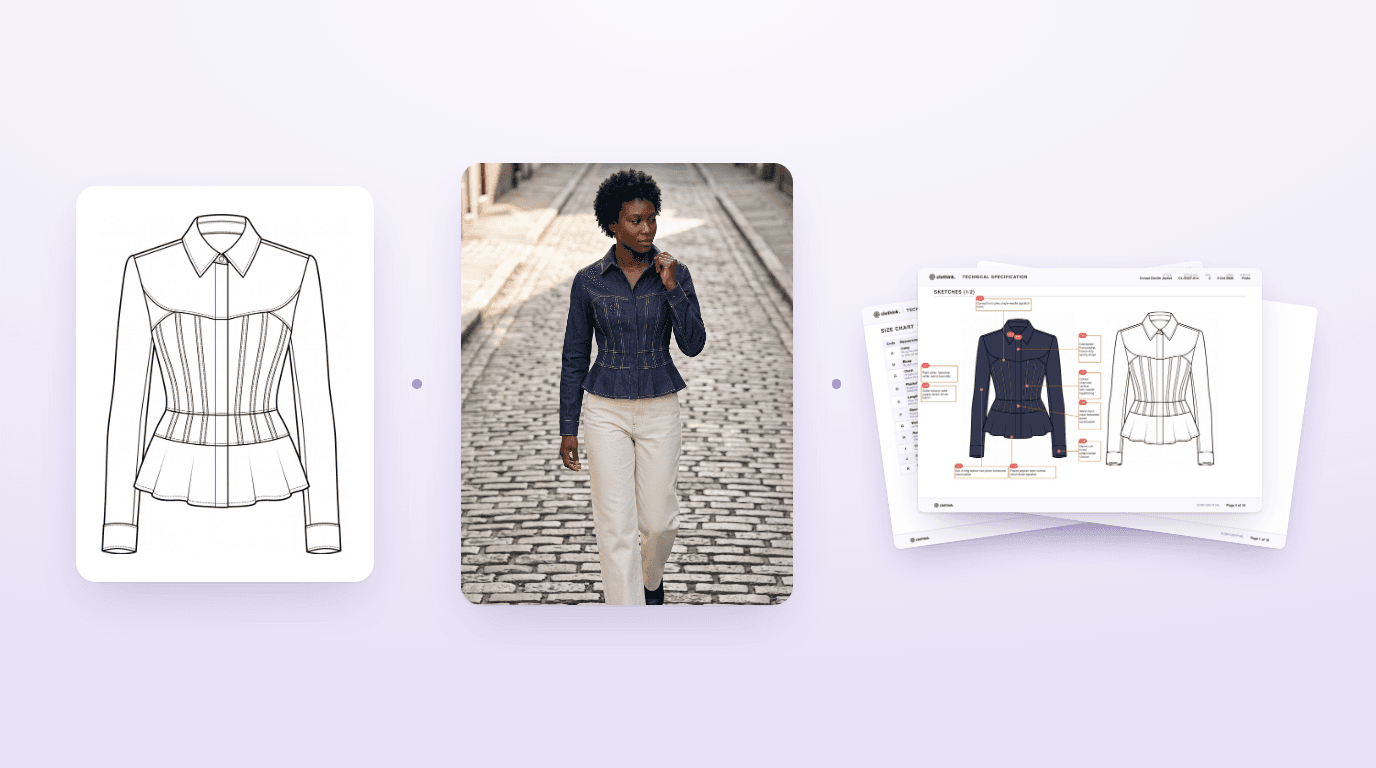
You start with a description, a rough sketch or a reference image. You develop flat sketches, colours and artwork, and see the garment in realistic mockups. The sketch, the mockup and the specification belong to the same style, so you do not rebuild the garment between applications.
Specify and refine
Auto-Complete drafts the bill of materials, size chart, construction notes, numbered call outs and How to Measure diagrams. Everything stays editable. Before you export, Check before you send looks over the size chart, bill of materials and construction notes for likely errors, such as sizes the wrong way round, half measurements entered as full ones, or a trim described two ways. It never blocks an export. It is a second pair of eyes.
Costing. Costing sits inside the tech pack, next to the bill of materials it prices. You enter a unit price for each material line, then add cut and make, overheads, and duty and freight to see the cost of the garment. Add your wholesale and retail prices and clothink shows the margin, in green when it is healthy and red when it is not, in the currency you work in. You choose whether the costing page goes into the PDF and Excel export or stays internal. It covers the costing most independent brands do style by style. If you need to cost a whole range across several suppliers, that is where a specialist PLM goes further.
For a concrete example, see our nine-page hoodie tech pack. It has 21 measurement points, construction notes and numbered call outs on the flats, with the PDF and Excel to download. It shows the detail a first sampling discussion needs. It is not a claim that AI output is production-approved.
Track sample development
- Revision history. Press Create revision when you send a pack to the factory. History lists every revision with its notes, and restoring one first saves your current pack, so nothing is lost. Moving a pack from Proto to Pre-production saves the earlier stage as a revision.
- Fit sample rounds. Samples records each round, named after the pack’s stage, such as Proto 2. You log the sample size, the date it arrived, the revision it was made against, a status (In review, Approved, Approved with changes or Rejected), photos and comments. Enter what you measured and the panel shows the difference from your spec.
- Team workspaces. On a team plan, comment threads can be pinned to a measurement, a call out or a bill of materials row, with @mentions and resolve and reopen. Each pack shows who last edited it, and you are told when a teammate saves a revision.
- Reusable materials. Your material library carries fabrics and trims from one style to the next.

Here is what clothink does today, and where it stops.
| Capability | clothink today |
|---|---|
| AI garment design and photoreal mockups | Yes |
| Editable technical specifications | Yes |
| Revision history with restore | Yes |
| Fit sample rounds with measured-against-spec | Yes |
| Comment threads and last-edited trail | Yes, on team workspaces |
| Pre-export specification checks | Yes |
| Costing and margin per pack | Yes |
| PDF and Excel supplier handoff | Yes |
| Supplier login or factory portal | No |
| Formal approval workflows across companies | No. Your team records each sample’s status. |
| Purchasing, stock and invoicing | No |
Where clothink stops. Suppliers receive exported files, not a login to a factory portal, and approvals across companies happen outside the software. The drafted measurements, materials and construction still need technical review, and sampling confirms them.
Cost. The Free plan lets you create and edit up to three active tech packs and includes 10 starter tokens. You can unlock a finished pack for £15, subscribe from £19 a month, or use Duo at £49 a month for two team members, the cheapest plan with a team workspace and comments. Paid plans include exports. Check the current plans and token allowances for your use.
Choose clothink when you want to design, specify and manage development in one place, and your factory is happy to work from reviewed documents. For many small brands that is a long-term setup, not a stepping stone. If you later need factories in the live record, you can add a supplier-facing system.
See how clothink manages garment development
Design, specify and track your styles in one workspace, from the first sketch through sample feedback and revisions. Start free with no credit card required.
2. Techpacker: best when structured specifications come first
Techpacker is a sensible choice when the designs already exist and your problem is organising specifications, versions and collaboration.
Its Techpack Builder plan is a tech pack editor with modular cards, version tracking, team and factory collaboration and one-click PDF export. The PLM Professional plan adds BOM libraries, automated grading rules, Excel export, production stages and Time & Action reports. The company also uses the PLMBR name for its PLM, so check exactly which plan a quote covers.
Published pricing. Techpack Builder is $35 per user a month and PLM Professional is $95, both billed annually. The page shows those figures as 50% off a higher list price, so ask what the price is at renewal. It also lists a one-time onboarding fee of $100 for Builder and $500 for Professional, and a 7-day free trial with no card.
Choose it when you have technical designs and want a structured, collaborative home for the specifications. If the product still needs designing and visualising, you may keep using other tools for those stages. Our guide to Techpacker alternatives covers the wider field.
3. Rechain: an accessible step towards PLM
Rechain is worth a place on a small-brand shortlist because it publishes its pricing and offers a clear path from product records to supplier collaboration.
The Freelancers tier covers product information and costing. Business lists partner access and extra collaboration features such as reviews and analytics. Production management is a separate add-on, listed at $29 a month.
Published pricing. Freelancers is $49 per user a month billed annually, or $60 billed monthly. Business is $99 billed annually, or $120 billed monthly. The pricing page lists Freelancers with a 50-product limit in its annual view and unlimited products in its monthly view, so ask Rechain which applies to you.
Choose it when you want more structure than spreadsheets or exported tech packs, but do not need a large implementation. Ask for a demonstration of the exact supplier and sample process you will use. Do not assume every function is in the entry plan.
4. Delogue: best when supplier and sample coordination is the problem
Delogue is a more direct fashion PLM choice for teams that already have several styles moving through sampling, costing and supplier conversations.
The Essential tier lists tech packs, sample management, price calculation and team and supplier collaboration. Supplier users are free and unlimited, which matters if factories need to work with product information inside the platform rather than receive occasional file exports.
Published pricing. Essential is €145 per user a month on one billing option and €169 on the other. Professional is €199 or €229, and Premium €249 or €279. Delogue also sells an optional Supplier Module for mapping suppliers and sub-suppliers and managing their certificates. It is listed at a flat €6,000 a year for your whole team, as an add-on to Essential or Professional, and is included in Premium. The page does not say whether the per-user prices include VAT, and it does not list onboarding fees, so ask.
Choose it when your team and suppliers keep losing time chasing sample comments, updates and approvals, and you are willing to change your process so everyone works in the shared system.
5. Onbrand: best for live product records and vendor-facing development
Onbrand builds its Core plan around live tech packs, comments, sample feedback, line sheets and a vendor portal. Pro adds unlimited vendor portal licences, material and collection costing and a Time & Action calendar.
It is worth a demonstration when your problem is the development calendar, the approval trail and talking to several outside partners, more than creating the first sketch or tech pack.
Published pricing. None. Every tier is quote only. A quote-only platform is not automatically cheaper or dearer than one with published prices. Ask for the seat mix, vendor access, onboarding, migration and any limits by tier in writing.
Choose it when you need a shared environment for an established team and its suppliers, and you can describe the approvals and reporting you want to improve.
6. Spreadsheets: the option you should not dismiss
A small clothing brand can run a disciplined development process in Excel or Google Sheets. That is most likely when you have a few repeat styles and one person clearly owns each specification.
Keep one master style reference, a dated and versioned tech pack, an agreed approval status and one reliable place for sample photos and comments. Make it obvious which file the factory should use.
Spreadsheets get harder as people, revisions and dependencies grow. But if your system is consistent and your factory understands it, you have no reason to replace it just to own software. Our guide to tech pack template vs software looks at that decision in detail.
From first sample to revised tech pack: an example in clothink
A tech pack rarely stays unchanged after the first sample. Measurements need correcting, fabrics change and construction details are refined before a garment is approved for production.
To demonstrate how clothink manages that process, we created a utility vest development scenario using fictional sample measurements, team comments and revision history. The panels below are redrawn from the clothink screens so the text is easy to read.
The first sample arrived with the chest measuring 1.7 cm below the specified measurement. We recorded the actual measurement against the specification, attached the sample feedback and marked the round as Approved with changes.
Within the same workspace, the team could review the measurement issue, discuss the proposed correction and update the relevant technical information. The revision history retained the earlier specification and recorded what changed.


Once the revised document is ready, the team can export an updated PDF and Excel tech pack for the manufacturer.
This is where clothink differs from a supplier-facing PLM system. clothink manages the development process internally, while the manufacturer receives the approved documents. A full PLM can take the workflow further by allowing the factory to review changes and participate in approvals within the same system.
For many independent clothing brands, managing the internal development record and issuing controlled specifications is sufficient. Others will benefit from the additional coordination that a supplier-facing PLM provides.
What will PLM cost a two-person brand?
Per-seat pricing looks modest until you multiply it by the people who need access and add implementation costs. Here are the published prices for two internal users.
| Plan | Two-person licence cost | What else the vendor lists |
|---|---|---|
| clothink Duo | £49 a month | Two team members, workspace plan, exports included |
| Techpacker Techpack Builder | $840 a year ($70 a month equivalent) | One-time onboarding fee of $100 listed |
| Techpacker PLM Professional | $2,280 a year ($190 a month equivalent) | One-time onboarding fee of $500 listed |
| Rechain Freelancers | $1,176 a year ($98 a month equivalent, annual billing) | Partner access not listed on this tier |
| Rechain Business | $2,376 a year ($198 a month equivalent, annual billing) | Partner access listed; Production Management add-on $29 a month |
| Delogue Essential | €3,480 to €4,056 a year (€145 or €169 per user a month) | Supplier users free. Optional Supplier Module €6,000 a year (included in Premium) |
| Onbrand | Quote required | Say how many internal users and outside suppliers you have |
The cheapest subscription is not always the cheapest process. A low-cost tool that still makes your team rebuild the same specification in three other applications is poor value. A dearer PLM system can pay for itself if it prevents the delays caused by unclear approvals and out-of-date files.
Six questions to ask in every fashion PLM demo
Bring one real style and ask the vendor to show each of these with your information, not a polished example project.
- Show me the latest approved version. Can everyone, including the supplier, identify it straight away?
- Change one material. Where does the new specification appear, and which related documents or costing fields do we still update ourselves?
- Record a failed fit sample. Can we attach images, measurements, comments and an accountable next action?
- Invite our factory. What can they view or change, and does their access cost extra?
- Add a new colleague. How fast can they understand the current status and the history of decisions?
- Export everything if we leave. Can we recover tech packs, images, material data and revision history in usable formats?
Then ask your own team a seventh question. Would we really use this workflow every week? A powerful platform only helps if people keep its information up to date.
When should a growing clothing brand move to full PLM?
No number of styles, staff or suppliers makes PLM necessary on its own. A brand developing six complex technical jackets across several factories may have more approval work than one making thirty repeat T-shirts with a stable supplier.
The better signals are operational. Consider a shared PLM when:
- Suppliers repeatedly act on old versions
- Approvals cannot be traced
- Several people enter the same information in different places
- Costing and material changes are hard to follow
- Someone has to chase every sample by hand to find its status
If your frustrations are still incomplete sketches, slow mockups and tech packs that take days to prepare, a lighter development workspace will help sooner. Our guide to fashion design software by stage shows where each kind of tool fits.
You do not have to choose once. Some brands design and specify in clothink and add a supplier-facing system when factories need live access. Others never need one. Whichever you choose, keep your style codes, files and revision names clean, so your records can move with you.
Frequently asked questions
Does a small clothing brand really need PLM software?
Not always. A founder or small team can often manage development with clear tech packs, an organised workspace and controlled supplier handoffs. Full PLM becomes more valuable when samples, suppliers, approvals and product changes must be coordinated across several people in one live system.
Is clothink a fashion PLM platform?
Not a full one. clothink covers design, mockups, tech packs and internal development management: revision history with restore, fit sample rounds, comment threads on team workspaces, and costing and margin for each pack. It has no supplier login, no formal approval workflows across companies and no purchasing, stock or invoicing. Suppliers receive exported PDF and Excel files.
Does clothink track samples and revisions?
Yes. Create revision saves a copy you can restore later, and History lists every revision with its notes. Samples records each fit round with the sample size, the date it arrived, the revision it was made against, a status, photos, comments and what you measured against your spec. Comment threads need a team workspace.
Can I keep using clothink if I add a PLM later?
Yes. Nothing stops you designing and specifying garments in clothink and sending the reviewed files wherever your factory or PLM needs them. Check which file formats your PLM accepts before you commit.
What is the difference between a tech pack tool and PLM?
A tech pack tool helps you create and maintain the specification for a garment. PLM also manages the wider product record and workflow, including changes, sample rounds, responsibilities, supplier collaboration and approvals.
Can a spreadsheet replace PLM for a small fashion brand?
It can for a modest, stable range if one person controls the master files and revisions. It gets harder when many people and factories need to work from connected, changing information.
What should I budget beyond the software licence?
Allow for onboarding, migrating your records, outside supplier access, add-ons, training, annual commitments and the time your team needs to adopt a new workflow. Compare the full first-year cost, not just the advertised per-seat price.
Can AI replace a garment technologist or physical fit approval?
No. AI can draft specifications and help spot possible inconsistencies. Fabric performance, pattern quality, fit and sample construction still need technical review and physical checks.
Final verdict: buy the system that solves your next bottleneck
If you are a small brand still developing the garment, and your factory is happy to work from reviewed files, clothink covers more than design. It also tracks revisions, sample rounds and fit feedback inside your team. That is why it is our first recommendation for independent designers and lean development teams, and many of them may never need more.
Move to a supplier-facing system such as Techpacker, Rechain, Delogue or Onbrand when factories need to work in the live record, or when you need formal approvals, deeper costing and planning, or links to other systems. Make each one demonstrate your actual process before you commit.
If your spreadsheet process works, keep it until there is a clear reason to change. The aim is not to buy the most comprehensive software. It is to make fewer mistakes, chase less information and get the right garment developed.
Take your next garment from design to sample development
Create sketches and realistic mockups, generate an editable tech pack, manage revisions and record fit feedback in one workspace. Start free, then export reviewed specifications when you are ready to work with your factory.
About clothink. clothink is an AI product development workspace for apparel. It takes a garment from first sketch to a reviewed tech pack, and tracks revisions, fit rounds and team comments along the way.