· clothink
Tech Pack Template vs Tech Pack Software: Which Should You Use?
- Tech packs
- Product development
- Fashion tech

A tech pack is the document you send a factory when you want them to quote and make a garment — it covers the drawings, materials, measurements, how it should be sewn, colours, labels and packaging. Search for “tech pack template” and you will find hundreds: Excel files, Google Sheets, Illustrator layouts, PDF examples. Some are basic. Some are surprisingly good. And if you are developing your first garment, one of them may be everything you need.
That is worth saying because software companies have a habit of pretending the thing their product replaces was always terrible. Excel is not terrible. A spreadsheet is flexible, familiar, cheap and extremely powerful. The real problem appears later — not when you create the first tech pack, but when you create the twentieth version of the twelfth tech pack for the third supplier. This guide compares a free template and purpose-built tech pack software on workflow, not hype — and helps you decide which fits your process today.
Spreadsheet template vs tech pack software: side by side
A template is a pre-built spreadsheet — Excel or Google Sheets — with sections as rows and columns that you fill in yourself. Tech pack software is an online app that holds the same information for each garment style, with drawings, revision history and shared editing built in.
Neither option removes the need for accurate specs. Factories care about clarity, not whether you used Excel or an app. The table below compares what day-to-day work feels like as you add styles, versions and people.
| What to compare | Spreadsheet template | Tech pack software |
|---|---|---|
| What it is | A file you fill in and save locally | One place to build and export a tech pack for each style |
| Which spec is approved? | You decide via file names — v3, v4_FINAL, USE_THIS_2 | Every PDF you send matches the current approved spec — no wrong version |
| Version history | No automatic log — only copies you remembered to save | Roll back to any past spec or see what changed before you export |
| Reuse across styles | Copy last season’s file; delete, retype, hope nothing was missed | Next style starts with your standards filled — change only what differs |
| Drawings + specs | Flats in Illustrator, numbers in Excel — easy to drift apart | One export with drawings and measurements that match |
| Team editing | One person in the file; PDFs emailed back and forth | One live spec → one PDF to the factory — no attachment threads |
| First draft | Empty rows — you supply every measurement and material | Design in → drafted BOM, measurements and construction out |
| Cost | Free to download | Subscription — less time per style to a factory-ready PDF |
| Best when | You have time to type every row yourself | You want design → drafted spec → factory PDF without rebuilding the sheet each time |
When a free tech pack template is enough
A template can work extremely well when your process is simple. Imagine you are launching a small label with two heavyweight T-shirts and one sweatshirt. You already have clear technical flats, a known blank or base block, basic fabric specifications, simple branding, a small size range and one manufacturer.
There may be little reason to implement complicated software. A properly structured spreadsheet can hold style information, a bill of materials (BOM — a row for each fabric, trim and label with quantity and unit), graded measurements for each size, colour references, construction notes, label specifications, artwork placement and packaging details.
Add the drawings, export it cleanly and you have a perfectly workable manufacturing document. The format is not what makes a tech pack good — the information is. A beautifully designed piece of software containing ambiguous measurements is worse than a plain spreadsheet containing precise specifications.
A template worth using should include separate sections for measurements with size columns, a BOM with units, construction notes with space for callouts, and label or packaging rows — not just a single “specs” sheet with a few blank lines. If it has no grading rows, no place to tie notes to drawings and no label section, it will run out quickly even for a simple style.
The warning signs that a spreadsheet is costing you time
Templates begin to hurt when the same information has to be rebuilt repeatedly. Imagine every sweatshirt uses the same main label, care label format, polybag, rib quality, core grading and standard stitching. With spreadsheets, you normally solve this by copying: duplicate last season’s file, delete the old style information, keep the rows you want, change the others, rename the file — and hope you did not leave “NAVY AW25” in a cell belonging to “BLACK SS26”.
It works. But the process relies heavily on attention. Purpose-built product development software can instead turn repeated information into structured data or reusable templates — so the same label, fabric or grading standard applies to the next style without a full copy-paste pass.
Version control is often the first place this shows up. The dangerous spreadsheet is rarely called tech-pack.xlsx. It is called something like JACKET_03_FINAL_v4_USE_THIS_2.xlsx. Meanwhile the factory has JACKET_03_FINAL_v3.pdf, the merchandiser has JACKET_03_FINAL_v4.pdf, and the designer has quietly updated JACKET_03_FINAL_v4_USE_THIS_2.xlsx.
The problem is not Excel. The problem is that a file cannot automatically tell everybody whether it is the approved product definition. Product development changes constantly — measurements move after fit sessions, trims change after sourcing, artwork changes, colours change, fabric changes, construction notes are clarified. A more structured system becomes valuable when knowing which information is current starts taking meaningful effort.
When your drawings and specs drift apart
A tech pack works best when the written instruction can be understood in visual context. Suppose your construction notes say “6 mm twin-needle topstitch at upper pocket opening.” Which pocket? Where is the line? Does it continue around the edge? A flat with a corresponding callout removes the ambiguity.
The more your process spreads between Illustrator, Excel, Drive and PDFs, the harder it becomes to guarantee everything stays aligned. Missing or weak sketches, vague material information, missing points of measure (POMs — the list of dimensions the factory grades and measures against) and construction notes disconnected from drawings are common documentation gaps — and they are harder to catch when each asset lives in a different folder.
Templates also assume you know what to put in them
A blank row labelled “Construction” does not help very much if you do not know what construction information a factory needs. This is particularly relevant for startup founders. Downloading a professional template gives you the structure of somebody else’s knowledge — it does not automatically give you the knowledge.
What seam should you specify? What tolerance should be used? Which POMs matter? What should go into the BOM? Which details need a callout?
This is one reason AI-assisted tech pack tools are becoming interesting. Instead of starting from empty rows, they can draft a first pass from your design in minutes. clothink’s Auto-Complete workflow, for example, reads your mockup or flat, then drafts BOM, measurements, materials, colours and construction notes for you to review — so you reach a factory-ready spec faster than typing every cell by hand.
Auto-Complete Agent
Building your tech pack with AI
Visual analysis
Materials & colours
Size chart
How to measure
Bill of materials
Construction notes
Callouts
The important words are for review. AI does not remove technical responsibility — it reduces blank-page work. For the full step-by-step workflow, see What Is an AI Tech Pack?.
When tech pack software starts making sense
There is no magic number of styles. Look for process signals instead. Software tends to pay off when:
- You are managing multiple versions per style and regularly checking which PDF was sent to which supplier.
- Several people edit product information — design, product development, buying and production all need to contribute.
- You repeatedly recreate the same information — fabrics, trims, measurements and construction standards recur across styles.
- Each new style adds another file to track — when finding, renaming and matching the right PDF to the right supplier takes as long as updating the spec, the spreadsheet has become the job.
- Technical work is becoming the bottleneck — more time spent formatting documents than making product decisions.
- Your visuals and specification live in different places — keeping the CAD (technical flat drawing), approved mockup and technical information connected becomes increasingly valuable.
To compare workspace options in detail, read our guide to the best tech pack software for fashion brands.
When software is probably not worth it
There is another side to this. You probably do not need sophisticated tech pack software simply because you are launching a clothing brand, somebody on YouTube said Excel is unprofessional, your manufacturer asked for a tech pack, or another brand uses PLM (product lifecycle management — enterprise software for large supplier networks).
The factory does not care whether you pay £0 or £10,000 for your software. They care whether the document is clear. If a spreadsheet workflow is controlled, accurate and easy for your team to manage, changing systems purely for the sake of changing systems is unlikely to improve the product.
What about Illustrator?
Illustrator deserves separate treatment because it is not really a tech pack system. It is an excellent drawing and graphic-design application that is frequently used to build apparel flats and layouts. For an experienced fashion designer, an Illustrator plus spreadsheet workflow can remain extremely capable.
Its weakness is continuity. The CAD is an Illustrator object. The BOM is somewhere else. The size spec is somewhere else. The PDF is an export. Revision history may depend on filenames. This can be perfectly manageable for an individual designer — it becomes more difficult as more people and products enter the system. If that is the situation you are in, the same process signals that apply to spreadsheets apply here too.
What should you choose?
The right choice depends less on brand stage than on what your current process actually demands.
- If you are developing your first one or two simple products and already understand apparel specifications: a good template may be enough.
- If you are developing your first products and do not know how to structure the technical information: AI-assisted software can help you get past the blank page, but have the output technically reviewed where necessary.
- If you are managing an established design team with specialist technical designers: look at workflow, collaboration, libraries, integrations and version control more than AI alone.
- If you are an enterprise organisation managing large supplier and product networks: you are probably evaluating PLM rather than simply a tech pack builder.
There is no universal winner because these are different problems. For quote-ready specifications regardless of format, see how to write a tech pack factories will quote from.
The system that serves the work
A tech pack is not valuable because it was made in specialist software. It is valuable because it transfers product intent accurately — the right drawing, the right material, the right measurement, the right construction, the right artwork, the right version, in the right hands.
Templates solve the formatting problem. Software can begin solving the workflow problem.
Tech pack workspace

Approved mockup
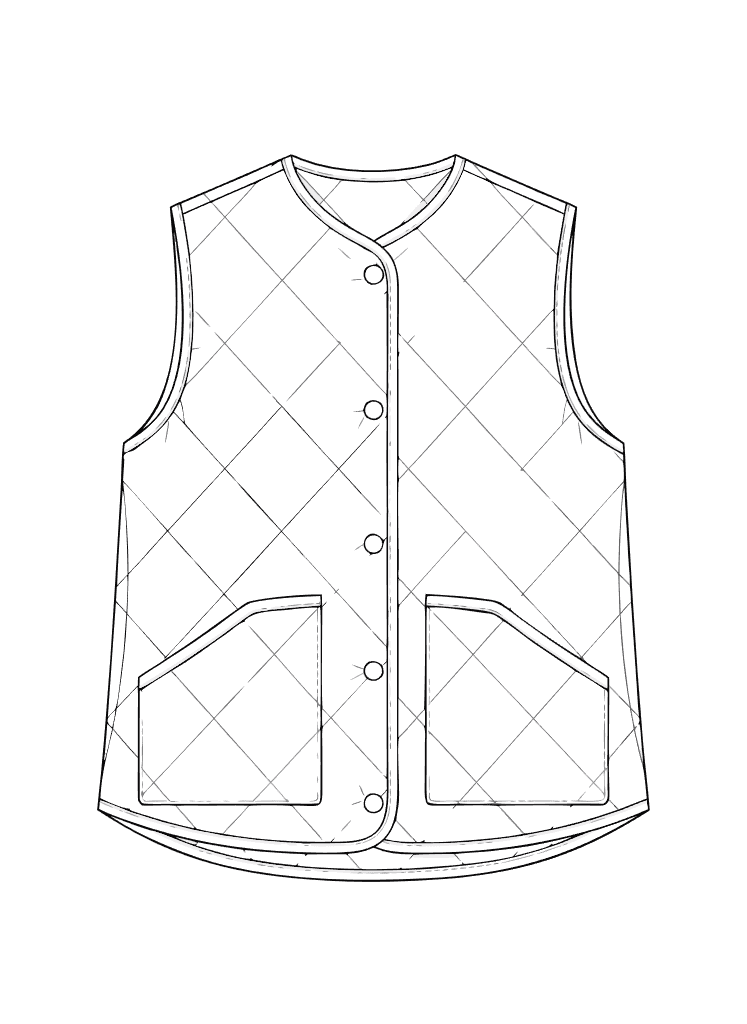
Style Information
Style code
GLT-AW26-01
Style name
Quilted Liner Gilet
Product
Gilet
Season
AW26
Fit
Regular
clothink is built to shorten the path from concept to finished tech pack. Start with a sketch or mockup, run Auto-Complete to draft the spec sections, refine in one workspace, and export a factory PDF — without copying last season’s spreadsheet and retyping every row for each new style.
See how clothink tech packs connect mockups, AI-assisted specs and export in a single flow.
Go from concept to factory-ready tech pack, faster
Upload your design, let AI draft the spec, review and export — one workspace from first idea to PDF.
Frequently asked questions
Is clothink a free tech pack template?
No — clothink is a web app for building tech packs faster with AI, not a spreadsheet file to download. You upload a design, Auto-Complete drafts the spec sections, you review and export a factory PDF. A free template can still work for a very simple first style; clothink is for when you want to move from concept to finished spec in one flow, without rebuilding rows by hand each time.
Is Excel enough for a tech pack?
Yes, for many first styles and small ranges. Excel is flexible and familiar. The limitation is not the format — it is version control, reuse and keeping visuals aligned with specifications as styles and suppliers multiply.
What is the difference between a tech pack template and tech pack software?
A template gives you structure — rows, headings and export layout. Software adds workflow: linked styles, version history, reusable libraries, team editing and often AI-assisted first drafts. Templates solve formatting; software addresses repetition and handoffs.
When should I switch from a free template to tech pack software?
Look for process signals: multiple versions per style, several people editing specs, repeated manual copy-paste across styles, or more time managing files than making product decisions. There is no fixed style count — the trigger is workflow pain, not brand size alone.
Do factories prefer tech pack software over Excel?
Factories prefer clarity over tooling. They want a single exported PDF with flats, measurements, BOM and construction together. Excel is fine for your internal work; the handoff format matters more than what you used to build it.
Can AI replace knowing how to write a tech pack?
No. AI can draft BOM rows, measurements and construction notes from garment context — but every line should be reviewed by someone who understands the product. AI reduces blank-page work; it does not remove technical responsibility.
Ready to try it? Start free on clothink and take your first style from concept to spec.