Softwareclothink
Best Clothing Design Apps in 2026: Free and Paid Options
- Fashion tech
- Product development
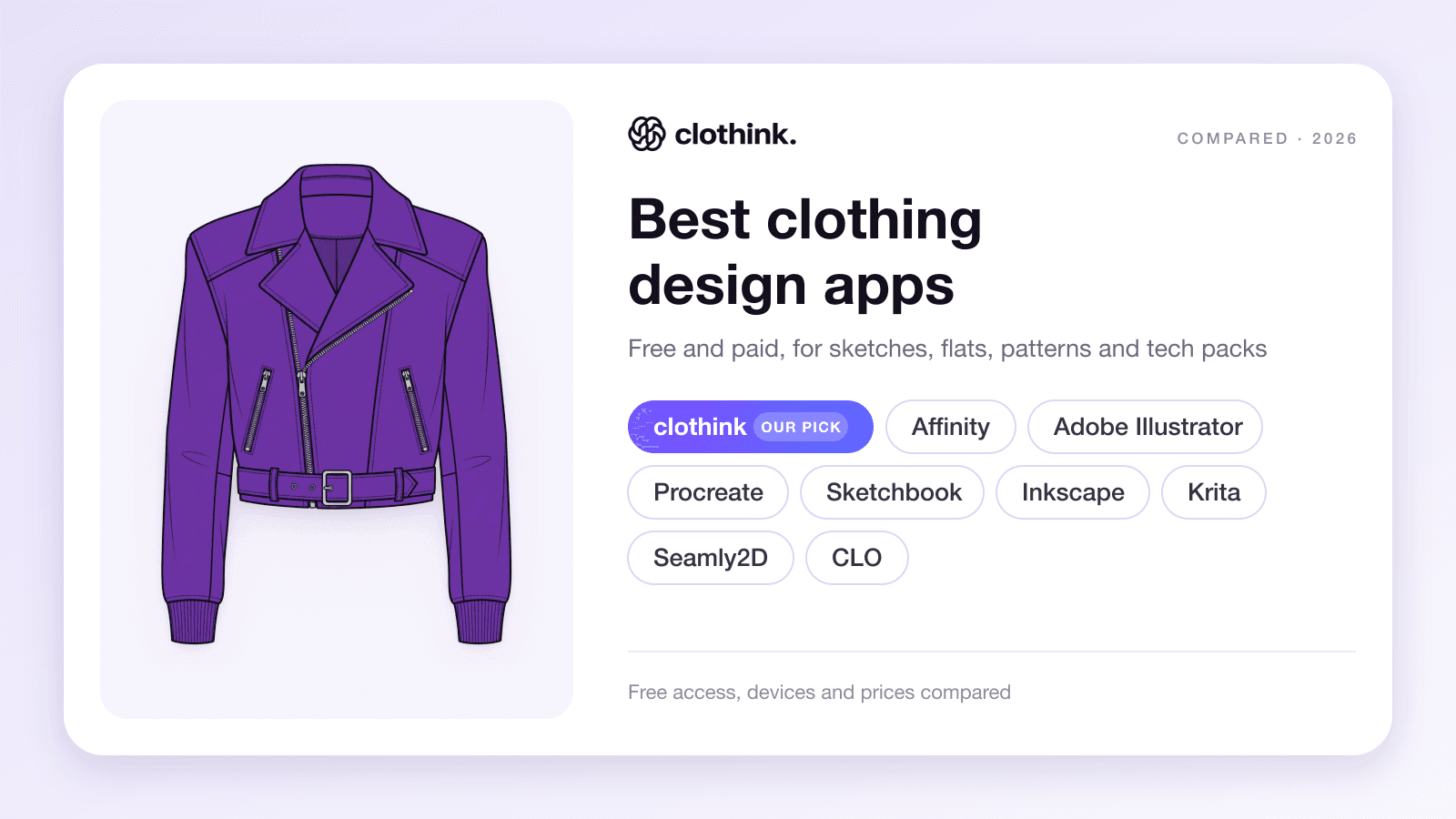
clothink is our pick for developing original garments, from sketches and mockups to tech packs. If you want to draw technical flats yourself, Affinity is a strong free choice and Adobe Illustrator suits teams working with editable Illustrator files. Procreate is our pick for hand-drawn fashion illustration on iPad. For pattern-based 3D development, consider CLO.
The best clothing design app depends on what you need to create. A fashion illustration, a sewing pattern and a specification for a factory are different outputs. Choosing the right tool starts with knowing which one you need next.
This guide compares nine browser, desktop and mobile apps, including what you can actually do for free, where each runs and how the design moves into development.
Disclosure: we make clothink. Our recommendations use vendors’ published features and prices, checked on 10 November 2026. The clothink example below comes from our published demo project.
Best clothing design apps at a glance
| App | Best suited to | Where it runs | Free access and starting price |
|---|---|---|---|
| clothink | AI garment design, mockups, tech packs and sample development | Web browser | Free plan with 10 starter tokens; paid plans from £19/month; £15 to unlock one tech pack on Free |
| Affinity | Drawing editable technical flats and artwork | Windows, Mac, iPad | Core app free with a Canva account; integrated AI needs a premium Canva plan |
| Adobe Illustrator | Precise vector artwork and editable Illustrator files | Windows, Mac, iPad; web version in beta | 7-day trial; UK individual annual plan £21.98/month, billed monthly |
| Procreate | Hand-drawn fashion illustration on iPad | iPad | £12.99 one-time purchase in the UK App Store |
| Sketchbook | Sketching on Android phones and other mobile devices | Android, iPhone, iPad; Pro on Windows and Mac | Mobile app free with optional paid Premium Bundle; desktop Pro is paid |
| Inkscape | Free vector drawing with an open SVG workflow | Windows, Mac, Linux | Free and open source |
| Krita | Free digital fashion illustration and painted artwork | Windows, Mac, Linux; Android tablets in beta | Free download from the project website; paid store editions also available |
| Seamly2D | Drafting sewing patterns from measurements | Windows, Mac, Linux | Free and open source |
| CLO | Pattern-based 3D garments and virtual sampling | Windows, Mac | 14-day trial; Individual $50/month or $450/year before tax; business licences separate |
How we chose these apps
We compared nine apps on five things: how directly they serve clothing, what you can export, which devices they run on, what you get for free, and how far they take a design towards a garment someone can sew. Features and prices come from each vendor’s published pages, and we left out template mockup tools that only place artwork on blank products.
Choose the app for the clothing you want to design
There are two common starting points. You might be developing the garment itself, deciding its cut, pockets, seams and materials. Or you might be putting artwork onto an existing blank T-shirt or hoodie. A template mockup can be enough for the second task; an original garment needs its shape and construction defined too.
You can combine them: sketch by hand, refine the flat in a vector editor and develop the tech pack in clothink.

Clothing design apps by device
If the device decides it for you, start here:
- iPad: Procreate for illustration, Affinity for flats and artwork, Sketchbook for free sketching.
- iPhone: Sketchbook for quick drawing.
- Android: Sketchbook on phones and tablets; Krita is in beta on Android tablets only.
- Windows and Mac: Affinity, Illustrator, Inkscape, Krita, Seamly2D and, for pattern-based 3D, CLO.
- Linux: Inkscape, Krita and Seamly2D.
- Any device with a browser: clothink is browser-based, so there is nothing to install.
1. clothink for AI clothing design, mockups and tech packs
clothink is our recommendation for independent brands, designers and product teams who want to develop an original garment and manage its changes through sampling in the same workspace. The sketch, mockup, tech pack, revisions and fit rounds all belong to one style, so you work from one current specification instead of a folder of drawings and spreadsheets.
That matters when a sample comes back with changes. A longer sleeve means revisiting the size chart; a different zip means revisiting the drawing, bill of materials (BOM) and construction notes. With those records in one pack you can see and update them together, and save the earlier version as a revision, so the next sample has a clear specification to follow.
Start with a written description, rough drawing, reference photo or existing flat. You can explore a new silhouette, develop a design you already have or turn a rough idea into something you can review with a colleague or manufacturer.
Design and refine the garment
Generate coloured sketches, technical flats or fashion illustrations. Build colour palettes, explore colourways and create seamless repeat prints or placement graphics. Precise edit lets you select an area and change that part, such as the collar or pocket, while reviewing the result against the original.

Sketches and artwork export as PNG or SVG, so you can continue with vector work when a drawing needs it. For a range, Collection Brief helps develop the line-up, palette, sketches and artwork, with a lookbook PDF to share. Our clothing collection walkthrough shows that process in detail.
From a sketch, create photoreal product shots or on-model mockups to explore the intended fabric, colour and appearance. You can review close-ups of important details and develop presentation images alongside the design.
Build the specification and manage development
The same style carries into an editable tech pack. Auto-Complete drafts the bill of materials, size chart, grading, tolerances, construction notes, numbered call outs and How to Measure diagrams. Apply your own measurements and standards, review the suggestions and export PDF and Excel files when the specification is ready to send.

Beyond the first draft, you can save and restore revisions, move through sample stages and record fit rounds with photos, comments and measurements compared with the spec. Reuse fabrics and trims from the material library, check costing and margin alongside the pack, and add team workspaces with shared access and comments on measurements, call outs and materials.
What to know before choosing clothink
clothink suits experienced designers as well as founders who do not draw. It is not pattern CAD or 3D simulation, and it does not replace a vector editor when you need to edit individual vector lines and shapes. Suppliers receive exported PDF and Excel files rather than access to a factory portal.
Watch one garment go from prompt to tech pack
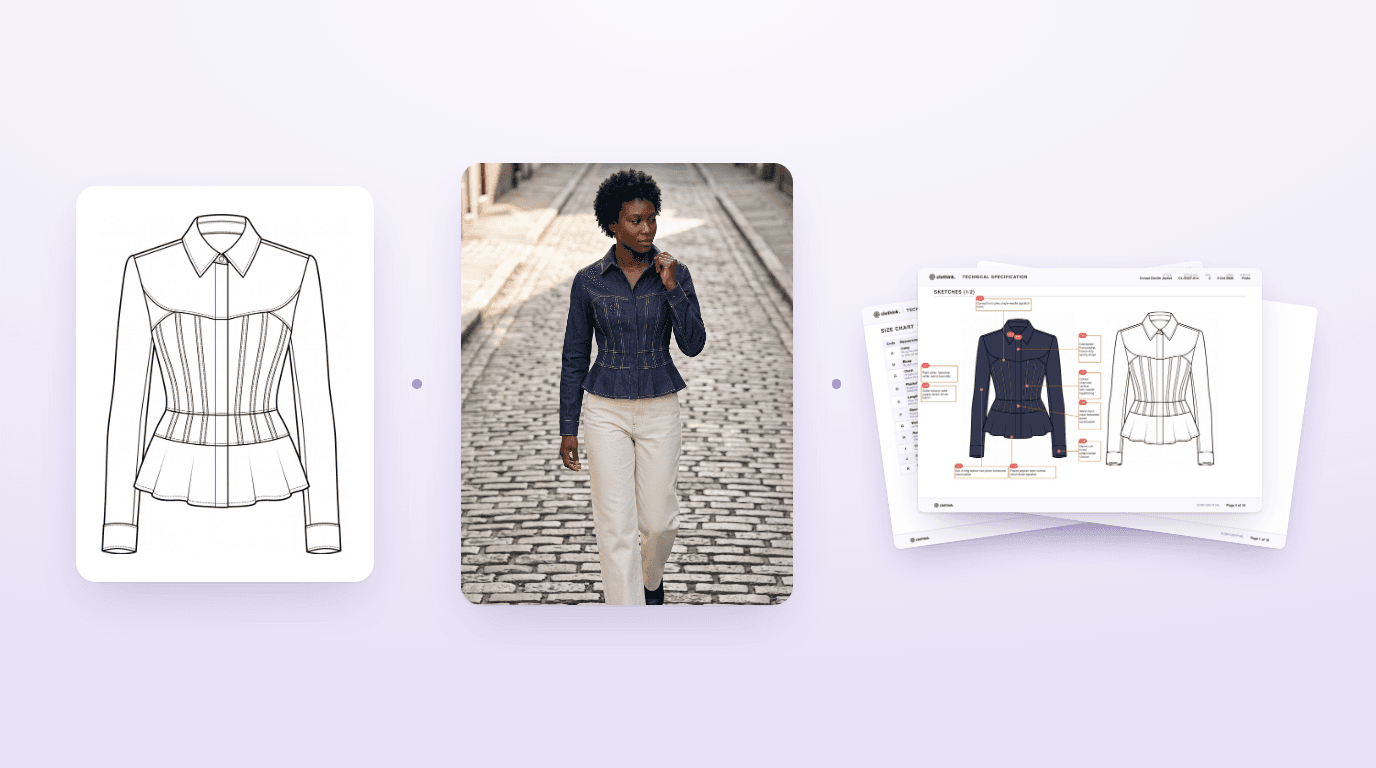
The film below follows one cropped pilot jacket in electric purple nappa from a one-line brief to a coloured sketch, an on-model mockup, numbered call outs, a graded size chart and a tech pack.
From here you can keep refining: explore colourways, change the collar or pocket with Precise edit, adjust measurements and edit any tech pack section. A designer still reviews the result before it goes to a supplier. These are outputs from a clothink demo project, not photographs of a physical sample.
Start free at clothink.ai and try your own garment. No credit card required.
2. Affinity for free technical flats and vector artwork
Affinity is a strong choice if you want to draw the garment yourself. Its pen and node tools let you refine curves, build shapes and control the linework in a technical flat.
For example, you could make a reusable shirt drawing, then change the collar, placket, pocket and cuff for the next style. Artboards and layout tools help arrange views, colourways and notes. Affinity combines vector design with image editing and page layout, and exports formats including SVG, PDF and PNG.
The current core app is free for individuals with a Canva account. Integrated Canva AI features require a premium Canva plan. It runs on Windows, Mac and, following its November 2026 release, iPad.
Choose Affinity for direct control over flats and artwork. It handles layout and saved edits, but apparel specifications, sample stages and revision records need a manual process or another system.
3. Adobe Illustrator for precise vector drawing
Adobe Illustrator is worth choosing when detailed vector drawing or an established Adobe workflow is central to your work.
Fashion uses include technical flats, stitch lines, textile repeats, placement graphics and labels, with full control of paths, strokes and typography.
It is particularly relevant when a client or team requires editable native AI files or uses Illustrator-specific templates and plug-ins. Check that requirement before switching tools. A supplier asking for a clear PDF specification may have different needs from a design team exchanging working artwork. Our guide on whether you need Illustrator to start a clothing brand goes further.
The UK individual plan is £21.98/month including VAT, on an annual plan billed monthly. A seven-day trial is available; it is not a permanent free plan.
4. Procreate for fashion illustration on iPad
Procreate suits designers who enjoy drawing with Apple Pencil and want to explore silhouette, styling, colour and texture by hand.
Its brushes and layers suit expressive fashion illustrations, fabric studies and concept presentations, and you can share a layered PSD or an image for further development.
Procreate is a raster app and exports PNG, TIFF, PSD and PDF. If you need editable vector paths, trace or redraw the artwork in a vector editor.
Procreate costs £12.99 as a one-time purchase in the UK App Store. It requires a compatible iPad; there is no Android version of this app.
5. Sketchbook for drawing clothes on Android and mobile devices
Sketchbook is a practical option if you want to sketch clothing on an Android phone or tablet. It is also available on iPhone and iPad, with Sketchbook Pro sold separately for Windows and Mac.
Brushes, layers, colour fills, guides and symmetry tools support manual drawing. You could sketch several sleeve or pocket ideas, keep the alternatives on different layers and develop the one you want to take forward.
The mobile app is free, with an optional paid Premium Bundle that includes layer grouping, canvas resizing and PDF export. Desktop Pro is paid, so “Sketchbook is free” does not describe every edition.
6. Inkscape for free vector drawing and SVG files
Inkscape is a free, open source vector editor for Windows, Mac and Linux. It is especially useful if you want to work in SVG or need a Linux drawing tool.
You can draw technical flats, organise construction details into layers and reuse components across styles. Consistent strokes, stitch lines and proportions take some setup, but they keep a library of flats useful as it grows.
Inkscape can export PDF and PNG as well as SVG. Keep the original SVG as your editable source: its PDF guidance explains that a different format can lose editing information.
7. Krita for free fashion illustration on desktop
Krita is a free, open source painting application for designers who want to draw and paint their concepts on a computer.
Its brushes, layers and drawing assistants support fashion illustration and material studies. With a pen tablet it is a useful alternative to buying an iPad.
Download the free desktop version from the official project site. Paid store editions are also offered. The Android version is in beta and intended for tablets; Krita does not support iPad or iPhone.
8. Seamly2D for free sewing pattern drafting
Seamly2D is for designing the pattern pieces that will be cut from fabric and sewn together.
It uses measurements and formulas to build reusable patterns. That makes it relevant to pattern cutters, dressmakers and designers developing their own blocks or adapting patterns to different measurement sets. It runs on Windows, Mac and Linux and is free and open source.
Choose it if you want to draft patterns yourself; if a factory or freelance pattern cutter handles that work, you may not need it.
9. CLO for pattern-based 3D garment development
CLO, often called CLO 3D, is for designers who need to build virtual garments from patterns and assess them on an avatar.
You work with pattern pieces, digital sewing and fabric properties to explore shape, drape and fit, which helps when the pattern itself needs developing or a team wants to assess changes before a physical sample.
Choose it when you need pattern-based simulation and have the skills and inputs to use it well. A photoreal AI mockup communicates an intended appearance; a pattern-based simulation answers a different set of questions about the garment. Both can be useful within the same team. Our comparison of 3D fashion design software and flat CAD mockups explains the difference.
CLO offers a 14-day trial. Its Individual licence is $50/month or $450/year before tax, for freelancers and one-person businesses. Companies with two or more employees need business licensing. Confirm the current terms for your organisation.
Blender is a free, general-purpose 3D tool that can simulate cloth, but it is not built for apparel, so we left it out of this list.
Free clothing design software and what you actually get
A free plan in an AI app usually gives a starter allowance, with payment for further use or certain exports. A free download can have paid features, as Sketchbook does, and a trial such as CLO’s ends unless you pay. Check what you can make, edit, save and export on that exact plan, and whether the licence covers commercial work.
What you can do on the clothink Free plan
clothink’s Free plan has no time limit and needs no credit card. It includes 10 starter tokens and up to three active tech packs that you can build and edit. The first Auto-Complete is free.
A simple first pass at standard generation settings could be:
- Generate a technical flat from your garment brief, using one token.
- Make a standard mockup from that design, using one token.
- Start the tech pack and use your first free Auto-Complete, then review and edit its sections.
Allow more tokens for extra views, edits, retries or higher resolutions. Starter tokens do not expire, and you can buy more without a subscription.
Tech pack exports are paid. On Free, unlock a pack for £15 to download its PDF and Excel files. Paid plans include exports; Creator is £19/month with 200 monthly tokens. See current plans and allowances.
Check what leaves the app
Before you commit a collection to any app, agree what the next person needs to receive.
- For editable artwork, ask about SVG, EPS, PDF or native working files, and test a representative file: a PDF can hold vectors, raster images or both.
- For a factory, prepare the technical information as well as the visual. A tech pack normally brings together garment views, measurements, materials, construction and artwork instructions, with a clear revision. Our complete hoodie tech pack example shows those sections together.
- For cutting patterns, confirm the pattern format and scale with the pattern cutter or factory. The drawing of a jacket and the pattern needed to cut it are separate deliverables.
If you are still deciding which stages to manage yourself, our fashion design software guide maps the wider development process, and our comparison of AI fashion design tools covers the AI-first options in more depth. For software built around specifications, see the best tech pack software for fashion brands.
Frequently asked questions
What is the best clothing design app for beginners?
clothink is our pick if you want help turning a brief or reference into garment designs, mockups and a tech pack. If you want to learn manual drawing, Sketchbook is an accessible mobile option, while Affinity provides free vector tools. Begin with one garment and the output you need next.
Is there a free app to design clothes?
Yes. Affinity, Inkscape and Krita offer free tools for drawing and artwork, while Seamly2D is free for pattern drafting. clothink has a free plan with a starter generation allowance and editable tech packs, with paid export options. Check the limits of the specific app and plan rather than assuming every feature is free.
What is a good clothing design app for Android?
Sketchbook is a useful choice for manual drawing on an Android phone or tablet. Krita is another option for Android tablets, but remains in beta and is not intended for phones. clothink is browser-based, so there is no Android app to download.
Which clothes design app should I use on iPad?
Choose Procreate if you want to draw fashion illustrations with Apple Pencil. Affinity is a free option for editable vector flats, artwork and layout. Sketchbook also offers a free mobile drawing app with optional paid features. Consider whether you need an illustration or technical linework before choosing.
What is the difference between a fashion design app and pattern software?
A fashion design app helps you draw or generate how a garment looks: sketches, flats, colour and mockups. Pattern software such as Seamly2D defines the flat shapes that are cut from fabric, and 3D software such as CLO simulates how those pieces hang on a body. Many designers use more than one.
Can I design clothes if I cannot draw?
Yes. You can start in clothink with a written brief, reference image or rough sketch, then refine the result. You still make the decisions about fit, material, construction and detail. Our guide to designing clothes without drawing explains how to make those decisions clear.
Can a manufacturer make clothes from an app design?
An app design can start the conversation, but the factory also needs the information required to quote and sample accurately. That usually means a tech pack with measurements, materials, construction notes and relevant artwork, followed by technical review and sampling. Agree the required files with the manufacturer before sending the design.
Do I need Illustrator to start a clothing brand?
No. You need a clear way to develop and communicate your products. clothink can cover sketches, mockups and tech packs; Affinity and Inkscape provide other routes to vector drawing. Illustrator remains useful when its drawing tools, plug-ins or native files are required by your team or clients.
Sources
Features, prices and free-access terms were checked on 10 November 2026 on the vendors’ own pages:
- clothink pricing and features
- Affinity
- Adobe Illustrator plans (UK)
- Procreate
- Sketchbook
- Inkscape
- Krita
- Seamly
- CLO plans
- Blender
Start with one garment
Write a one-line brief, or bring a reference photo or sketch. Generate its sketch and a mockup, then start its first tech pack, with revisions and sample feedback kept alongside the style.